
A-Introduction and enable:
Feature enhancements for Fixed Assets included in this release are covered with Lab example
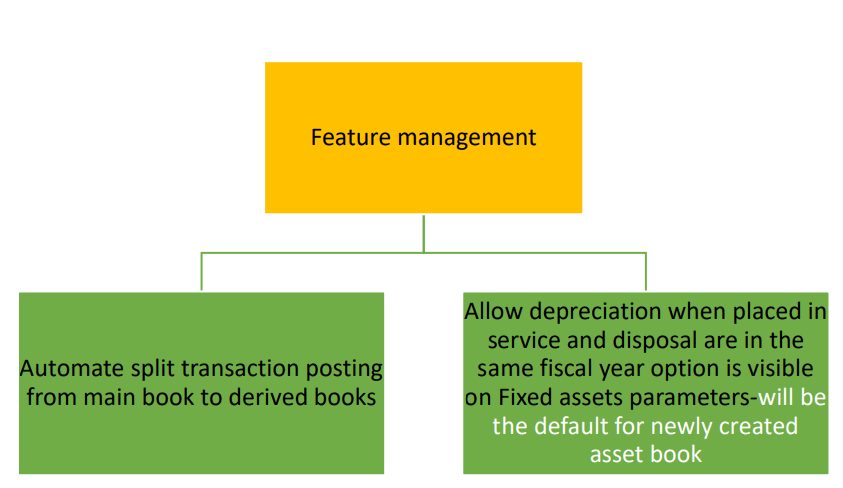
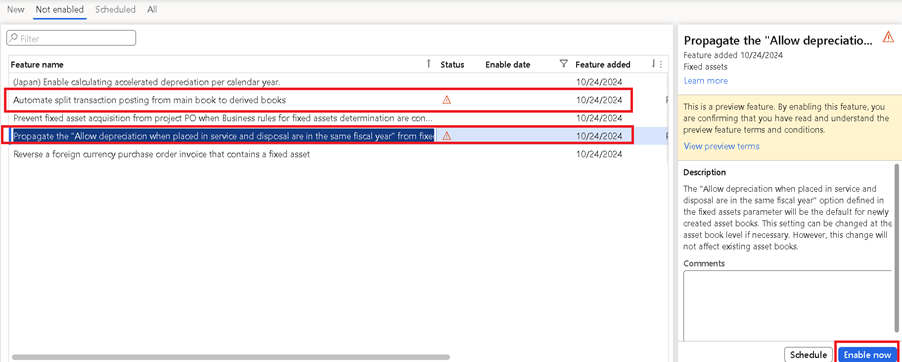
Login to FnO-Feature management: To enable feature.
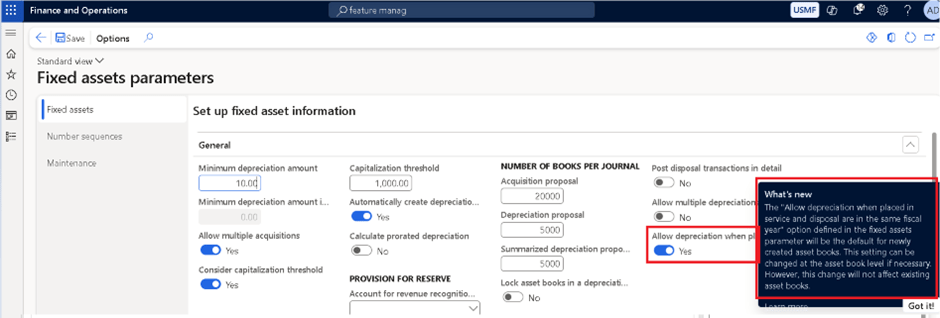
Once enabled Allow depreciation when placed in service and disposal are in the same fiscal year option is visible on Fixed assets parameters.
B-Lab: For Automate Split transaction posting to derived books
We will see an example of Split a percentage and posting to derived books
- Find and select the fixed asset to split.
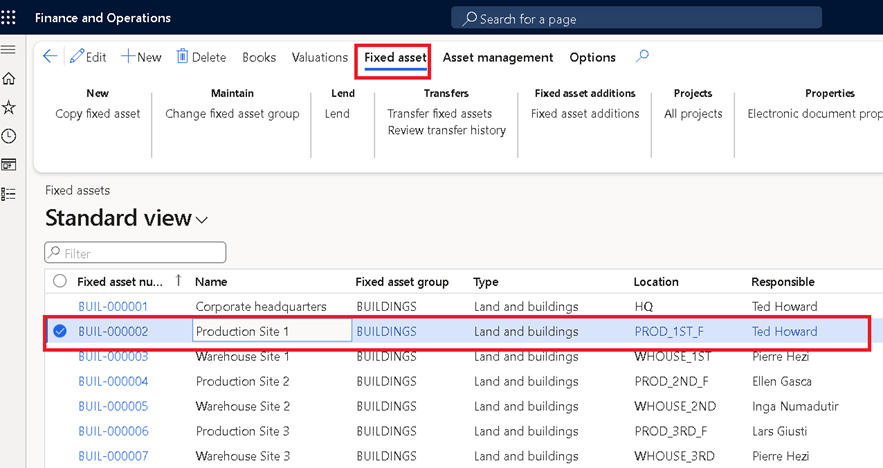
2.Select Books. Select the book to split to the new asset and select Functions and select Split fixed asset.
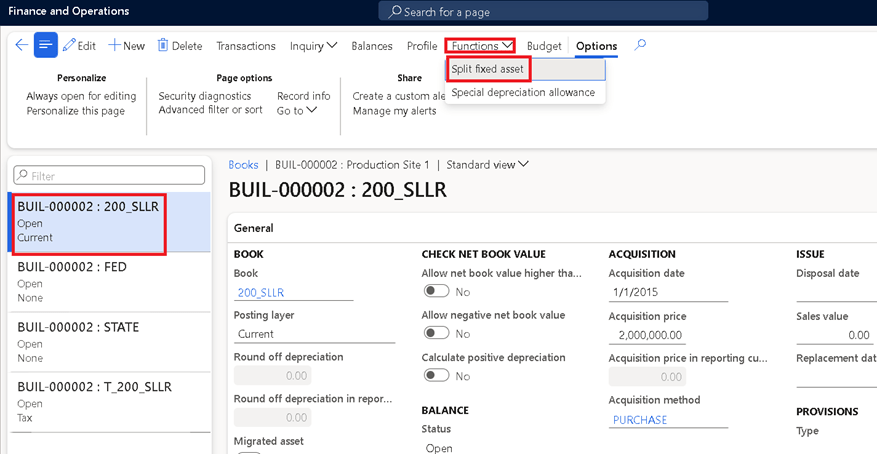
3. In the To fixed asset field, enter or select a value and In the To book field, select the drop-down button to open the lookup.
4.In the Transaction date field, enter a date.
5.In the Percent field, enter a number.
6.In the Journal name field, enter or select a value
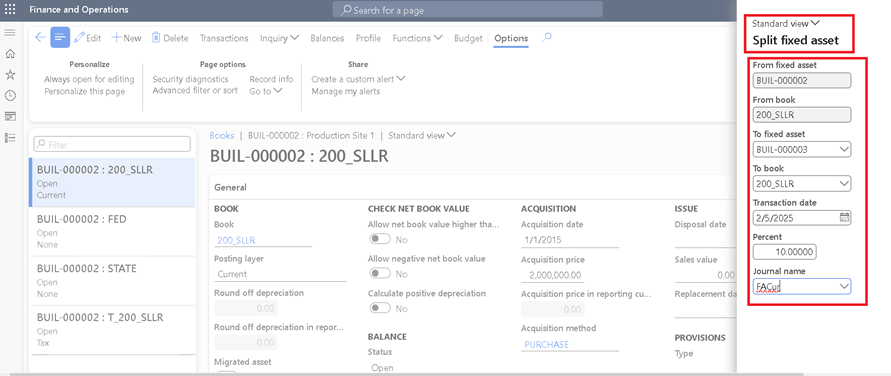
7, Select OK.
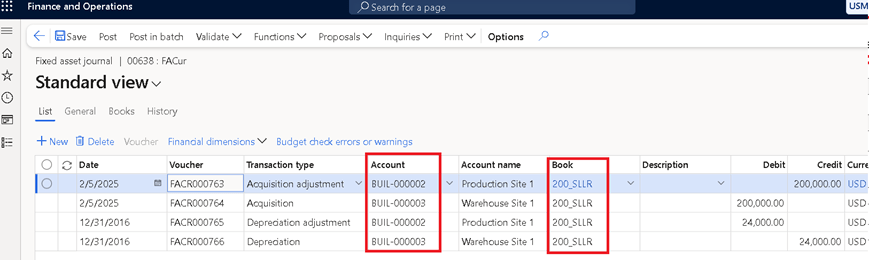
8. Which creates FA Journal for review.
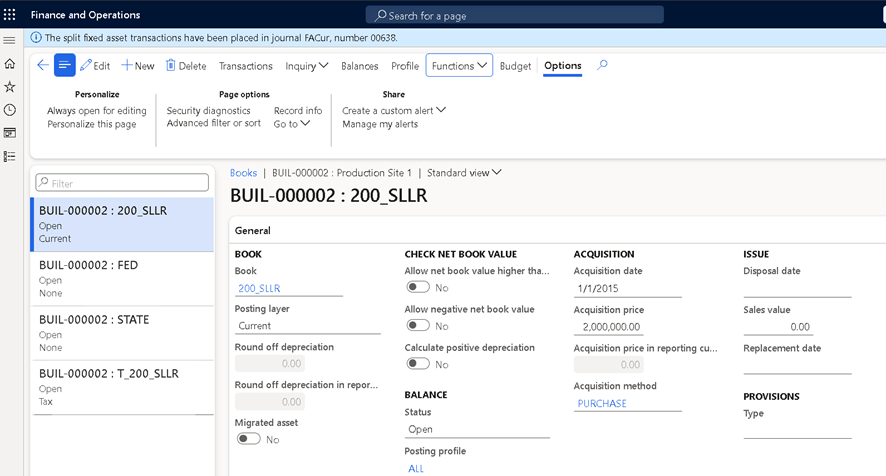
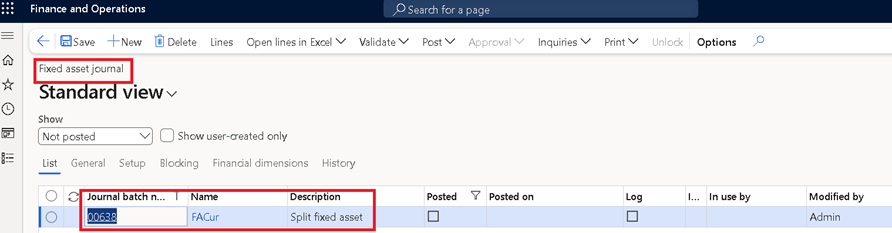
9. Verify the lines and post transaction.
Note: This shows the main book used for split transactions.
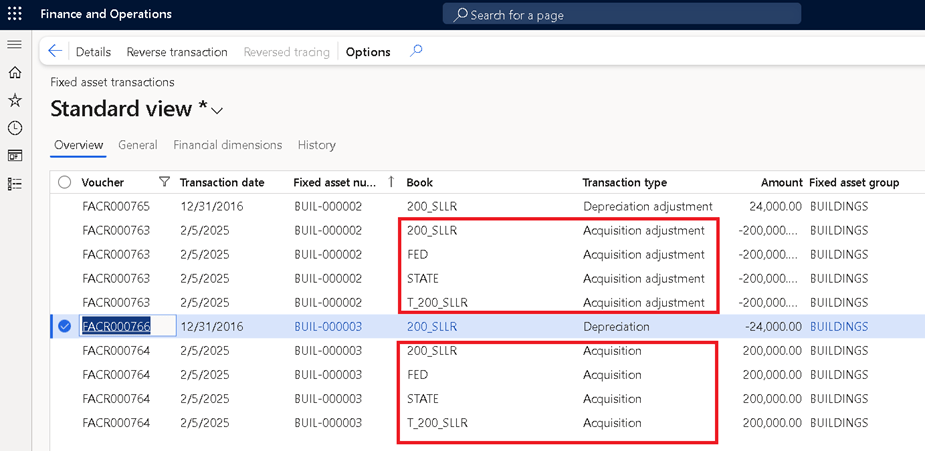
Go to Fixed asset transactions and verify the journal entries.
We see that for Acquisition and Acquisition adjustment transaction are booked to all the books (including derived).
As Depreciation entries are not reflected in derived books it will not have extra entries.
Thanks for reading.
 One step for all